Small Business Website Checklist: 5 Essential Pages You Actually Need (No Overthinking)
Picture this: you fire up a website builder for your coffee shop, bakery, or consulting gig. The cursor blinks. Panic sets in. Do you need a testimonials page? A pricing grid? A full portfolio? Hours vanish as you scroll templates bloated with 15 pages that scream "corporate" but whisper nothing about your business.
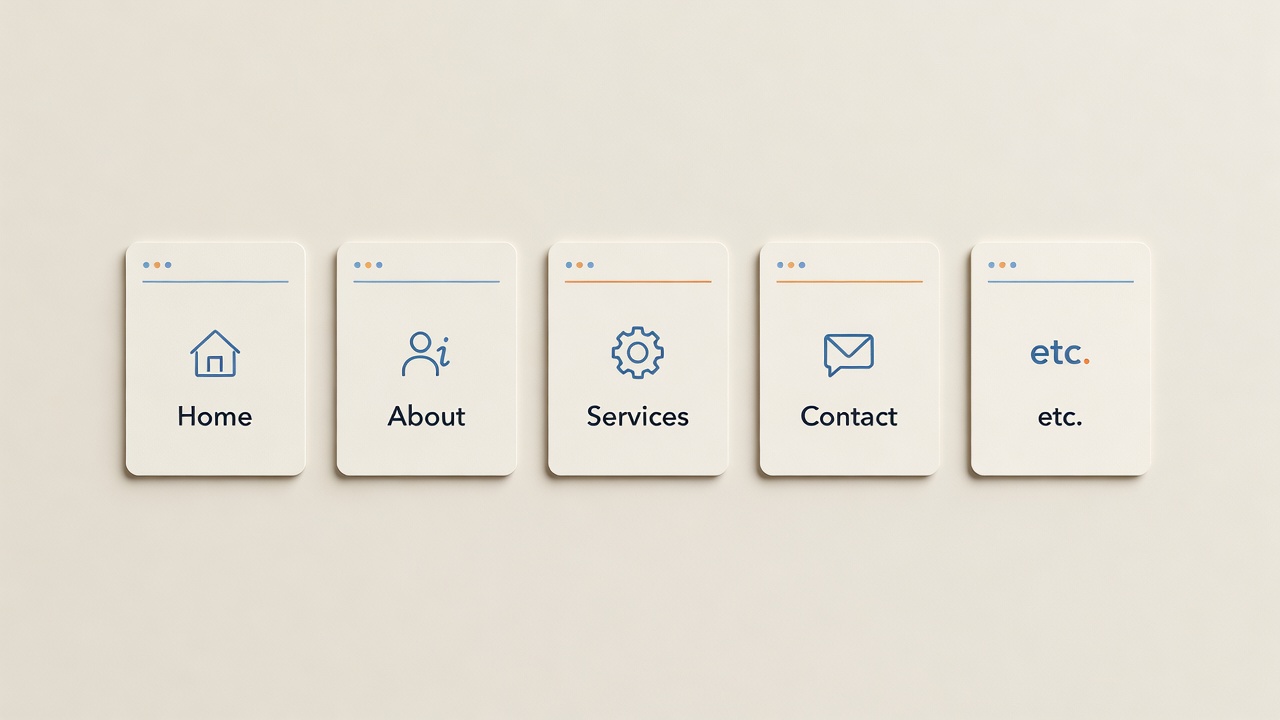
Stop. Most small business owners fall into this trap. They pile on pages thinking complexity equals credibility. The result? A site that confuses visitors and buries your message. You do not need that. This small business website checklist cuts through the noise. Focus on five essential website pages. Get them right, and your site works from day one. No tech skills required. Just clear, honest content that pulls people in.
Why Small Businesses Overthink What Pages They Need for Their Website
Big companies flaunt massive sites. Twenty menus. Endless subpages. Small businesses copy them and flop. Visitors land on your home page, hunt for what you offer, and bounce. Google notices. Traffic dies.
Truth: 80% of visitors decide in five seconds if they stay. Your job? Answer three questions fast: Who are you? What do you do? Why you? Five pages handle that. Nothing more until you test what works. This approach answers "what pages do I need for my website" without the headache. Simple sites convert better. Period.
The Essential Website Pages: Your Small Business Website Checklist
Here they are. Build around these small business website pages. Each one packs purpose. Write copy that speaks like you talk to a customer across the counter. Short sentences. Real benefits. No jargon.
1. Home Page: Your Front Door
This page sells the click. Start with a hero section: big photo of your work, headline like "Fresh Coffee Delivered Daily in [Your Town]," and subhead naming your top benefit, say "Save 30 Minutes Mornings with Our Subscription." List three services below. End with a button: "Get Started." Keep it under 500 words. Goal: visitor books or calls.
2. About Page: Build Trust
People buy from people. Share your story in 300 words. "I started [Business] in 2018 after quitting my desk job to bake pies like my grandma." Add a photo of you at work. Mention credentials: "Certified baker with 50+ weddings served." Close with CTA: "Ready for your event? Contact me."
3. Services or Products Page: Spell Out the Offer
Detail what you sell. Use bullet lists. For services: "Wedding Cakes: $150+, serves 50, flavors on request." Products: photos, prices, "Add to Cart." Focus on outcomes: "Pies that wow guests and save you baking time." CTA: "Book a consult" or "Shop now."
4. Contact Page: Make It Frictionless
No forms that ask for life stories. Embed a Google Form or Calendly for bookings. List phone, email, address with map. Hours. FAQ bullets: "Do you deliver? Yes, $10 fee." CTA button repeats: "Schedule Free Call." Visitors hate barriers. Remove them.
5. Blog or Resources Page: Stay Visible
Post once a month. Titles like "5 Pie Recipes for Busy Parents." Teaches value, boosts SEO. Each post ends: "Need custom pies? Contact us." Start with three posts. Builds authority without overwhelm.
Every Page Needs One Thing: A Clear Next Step
Buttons rule. Place them top, middle, bottom. "Call Now." "Book Free Consult." "Email Us." Same color. Bold text. Track clicks. If no one bites, tweak words. This turns browsers into buyers.
What Pages to Skip When You Build a Simple Website
- Testimonials: Great later. Use one quote on Home or About first.
- Pricing: Hide until qualified leads ask. Tease on Services.
- Portfolio: Add to Services with 6 images max. Full gallery overwhelms.
Launch lean. Add as data rolls in. Website planning for beginners means start small, iterate fast.
Get These Pages Live Fast
Buildy handles the rest. Pick a template, drop in your five pages, hit publish. All in one afternoon. No coding. Matches your brand colors. Mobile-ready out the gate.
Ready to Launch?
Your professional site awaits. Answer three questions at the SiteLaunch Guide quiz to get your custom plan. No more guessing. Just results.
